nelson
githubOrganisation for your agent teams inspired by time-tested Royal Navy operating procedures.
Nelson




Squadron-scale agent coordination for Claude Code — risk-gated, damage-controlled, fully audited.
A Claude Code skill that organises multi-agent work into structured naval operations: sailing orders define the mission, captains command parallel workstreams, action stations enforce risk-appropriate controls, and a captain’s log makes every decision auditable.
4 risk tiers · 11 damage control procedures · 11 mission templates · 7 crew roles · 16 standing orders
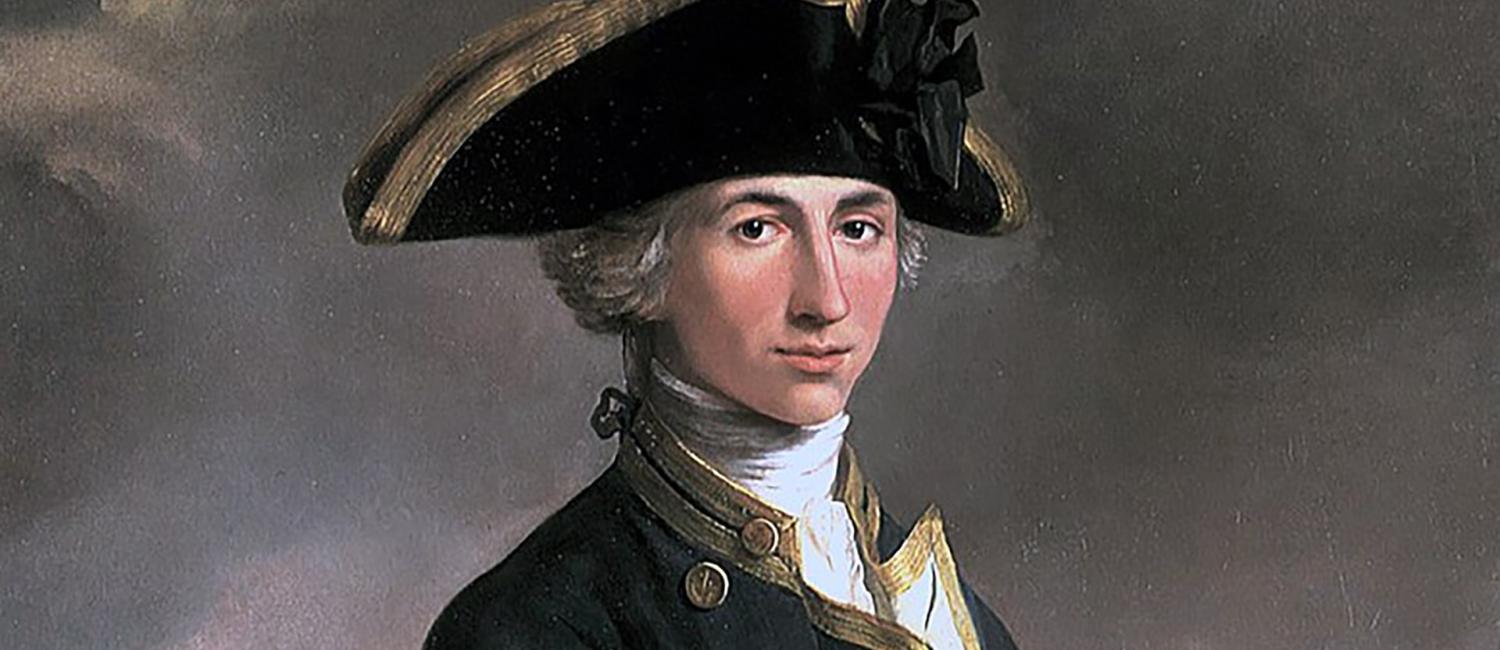
Captain Horatio Nelson — John Francis Rigaud, 1781. Image: Wikimedia Commons
Contents
- Quick Start
- What it does
- Why Nelson?
- How it works
- Prerequisites
- Installation
- Usage
- Customisation
- Plugin file structure
- Mission artifacts
- Compatibility notes
- Star History
- Disclaimer
- License
Quick Start
Install the plugin:
/plugin marketplace add harrymunro/nelson
/plugin install nelson@nelson-marketplace
Describe your mission — Nelson loads automatically, no slash command needed:
Use Nelson to migrate the payment module from Stripe v2 to v3Nelson will draft sailing orders, present a battle plan for your approval, form a squadron of captains to execute in parallel, run quarterdeck checkpoints, and produce a captain’s log when the mission stands down. See Prerequisites for the full agent-team experience with split panes.
What it does
https://github.com/user-attachments/assets/2468679d-39f5-4efb-9d93-43d43eee8907
Nelson gives Claude an eight-step operational framework for tackling complex missions:
- Sailing Orders — Define the outcome, success metric, constraints, and stop criteria
- The Estimate — Conduct the 7 Question Maritime Tactical Estimate: reconnaissance, intent, effects, terrain, forces, coordination, and control
- Battle Plan — Turn approved effects into task assignments with owners, dependencies, and file ownership
- Form the Squadron — Choose an execution mode (single-session, subagents, or agent team) and size the team
- Get Permission to Sail — Present the plan for user approval before committing resources
- Quarterdeck Rhythm — Run checkpoints to track progress, identify blockers, monitor hull integrity, and manage budget
- Action Stations — Classify tasks by risk tier and enforce verification before marking complete
- Stand Down — Produce a captain’s log with decisions, artifacts, validation evidence, and follow-ups
Why Nelson?
Most agent orchestration tools focus on starting missions. Nelson focuses on completing them safely.
Nelson gives your missions a shared vocabulary: “action stations” instead of “risk tier escalation”, “hull integrity” instead of “context window consumption”, “man overboard” instead of “stuck agent replacement”. The names stick. So do the habits.
- Risk-gated execution — Four station tiers (Patrol through Trafalgar) classify every task before it runs. High-risk work requires human confirmation; low-risk work flows without ceremony.
- Damage control built in — Eleven named procedures for stuck agents, context exhaustion, faulty output, budget overruns, automated alarms, and mission abort. These are protocols, not improvisation.
- A decision log by default — Captain’s log, quarterdeck reports, and turnover briefs are written as the mission runs. Every decision is auditable after the session ends.
Nelson coordinates its own development — recent releases have been planned and executed as Nelson missions.
Who is this for?
- You run Claude Code missions spanning multiple files or modules in parallel
- You want structured checkpoints, risk classification, and a decision log
- You’ve lost work to context exhaustion and want systematic handover procedures
- You care about auditability — knowing what was decided, by which agent, and why
It may be overkill if you’re doing a quick, single-file edit.
How Nelson compares
Nelson trades upfront setup time for coordination guarantees:
| Approach | Best when | Trade-off |
|---|---|---|
| Nelson Navy structure | You need repeatable quality gates, explicit ownership, and a clear decision log across parallel work | More setup and coordination overhead up front |
| OmO/RuFlo-style rapid flow | You need the fastest possible movement on a narrow, low-risk path | Less formal checkpointing and role separation |
If you need fast parallel execution with minimal ceremony, OmO or RuFlo may suit you better. If coordination, auditability, and safe scaling matter more than raw tempo, Nelson is the better fit.
How it works
Execution modes
The skill selects one of three execution modes based on your mission:
| Mode | When to use | How it works |
|---|---|---|
single-session | Sequential tasks, low complexity, heavy same-file editing | Claude works through tasks in order within one session |
subagents | Parallel tasks where workers only report back to the coordinator | Claude spawns subagents that work independently and return results |
agent-team | Parallel tasks where workers need to coordinate with each other | Claude creates an agent team with direct teammate-to-teammate communication |
Chain of command
Nelson uses a three-tier hierarchy. The admiral coordinates captains, each captain commands a named ship, and crew members aboard each ship do the specialist work.
                          ┌───────────┐
                          │  Admiral  │
                          └─────┬─────┘
                  ┌─────────────┼─────────────┐
                  ▼             ▼             ▼
           ┌───────────┐ ┌───────────┐ ┌───────────┐
           │  Captain   │ │  Captain   │ │ Red-Cell  │
           │ HMS Daring │ │ HMS Kent   │ │ Navigator │
           └─────┬─────┘ └─────┬─────┘ └───────────┘
            ┌────┼────┐   ┌────┼────┐
            ▼    ▼    ▼   ▼    ▼    ▼
           XO  PWO  MEO  PWO  NO  COX
Squadron level:
- Admiral — Coordinates the mission, delegates tasks, resolves blockers. Coordinates final synthesis but does not perform it directly. There is always exactly one.
- Captains — Each commands a named ship. Breaks their task into sub-tasks, crews specialist roles, coordinates crew, and verifies outputs. Implements directly only when the task is atomic. Typically 2-7 per mission.
- Red-cell navigator — Challenges assumptions, validates outputs, and checks rollback readiness. Added for medium/high risk work.
Ship level (crew per captain, 0-4 members):
| Role | Abbr | Function | When to crew |
|---|---|---|---|
| Executive Officer | XO | Integration & orchestration | 3+ crew or interdependent sub-tasks |
| Principal Warfare Officer | PWO | Core implementation | Almost always (default doer) |
| Navigating Officer | NO | Codebase research & exploration | Unfamiliar code, large codebase |
| Marine Engineering Officer | MEO | Testing & validation | Station 1+ or non-trivial verification |
| Weapon Engineering Officer | WEO | Config, infrastructure & systems integration | Significant config/infra work |
| Logistics Officer | LOGO | Documentation & dependency management | Docs as deliverable, dep management |
| Coxswain | COX | Standards review & quality | Station 1+ with established conventions |
Navigating Officer (NO) and Coxswain (COX) are read-only — they report findings but never modify files.
Ships are named from real Royal Navy warships, matched roughly to task weight: frigates for general-purpose, destroyers for high-tempo, patrol vessels for small tasks, historic flagships for critical-path, and submarines for research.
Squadron size caps at 10 squadron-level agents (admiral, captains, red-cell navigator). Crew are additional — up to 4 per ship. If a task needs more crew, split it into two ships.
Action stations (risk tiers)
Every task is classified into a risk tier before execution. Higher tiers require more controls:
| Station | Name | When | Required controls |
|---|---|---|---|
| 0 | Patrol | Low blast radius, easy rollback | Basic validation, rollback step |
| 1 | Caution | User-visible changes, moderate impact | Independent review, negative test, rollback note |
| 2 | Action | Security/compliance/data integrity implications | Red-cell review, failure-mode checklist, go/no-go checkpoint |
| 3 | Trafalgar | Irreversible actions, regulated/safety-sensitive | Minimal scope, human confirmation, two-step verification, contingency plan |
Tasks at Station 1 and above also run a failure-mode checklist:
- What could fail in production?
- How would we detect it quickly?
- What is the fastest safe rollback?
- What dependency could invalidate this plan?
- What assumption is least certain?
Damage control
Most agent frameworks assume the happy path. Nelson includes battle-tested procedures for when things go wrong — stuck agents, budget overruns, faulty outputs, and context window exhaustion all have documented recovery paths.
Hull integrity monitoring tracks context window consumption across the squadron. The admiral reads exact token counts from Claude Code session JSONL files at each quarterdeck checkpoint and maintains a squadron readiness board:
| Status | Remaining | Action |
|---|---|---|
| Green | 75-100% | Operating normally |
| Amber | 60-74% | Monitor closely, avoid new work |
| Red | 40-59% | Relief on station — begin handover |
| Critical | Below 40% | Immediate relief |
Token counts come directly from the API usage data Claude Code records on every assistant turn — no estimation heuristics, no paid APIs, no external dependencies. scripts/count-tokens.py extracts them and produces damage reports.
Relief on station replaces a ship whose context window is depleted. The damaged ship writes a turnover brief to file; a fresh replacement reads it and continues the mission. Chained reliefs (A → B → C) are supported for long-running tasks. The flagship monitors its own hull integrity too and can hand over to a new session.
Circuit breakers layer automated alarms on top of the admiral’s checkpoint rhythm — hull integrity, budget burn, cost-per-task, consecutive blockers, and idle timeouts. When a threshold is crossed, an advisory event is appended to the mission log and surfaced to the admiral, who decides the remedy. Circuit breakers do not auto-abort.
Other procedures cover the rest of the failure modes:
- Man overboard — replace a stuck agent
- Partial rollback — revert faulty work without aborting the mission
- Crew overrun — recover from budget exhaustion
- Scuttle and reform — abort and reform when the mission cannot succeed
- Comms failure — recover from agent-team infrastructure failure
- Session resumption — pick up after an interruption
- Session hygiene — clean-start procedure for new sessions
- Escalation — chain-of-command for issues beyond current authority
Conflict radar
When multiple ships work in parallel, undeclared file overlaps are a common source of merge pain. Nelson ships two tools that catch conflicts at different stages:
- Pre-flight conflict scan (
nelson_conflict_scan.py) — parses the battle plan before Action Stations, walks the codebase import graph, and flags “split-keel” violations where two captains own files that import each other. - Runtime conflict radar (
nelson_conflict_radar.py) — compares livegit statusagainst the battle plan’s file ownership declarations during execution and alerts on changed files that have no registered owner.
Both tools are stdlib-only and run as part of the mission workflow without additional setup.
Enforcement hooks
Nelson is not purely advisory. A set of Claude Code hooks (hooks/nelson_hooks.py) enforce structural guarantees at the tool level:
| Event | Hook | What it enforces |
|---|---|---|
PreToolUse on Agent | preflight | Station tier gate, file ownership conflicts, mode-tool consistency |
PreToolUse on TaskCreate | session-check | Captain TaskCreate gate (admiral exception via session marker) |
PostToolUse on Write/Edit | brief-validate | Turnover brief quality gate |
TaskCompleted | task-complete | Validation evidence and station controls |
TeammateIdle | idle-ship | Paid-off standing order advisory |
SessionStart | session-init | Records admiral transcript_path for the TaskCreate gate |
Plugin installs auto-discover hooks/hooks.json and wire these up with no user action. Hooks degrade gracefully: if no active Nelson mission is found, they exit cleanly and do not interfere with non-Nelson workflows. See Installation for manual-install caveats.
Cross-mission intelligence
Nelson accumulates learning across missions in .nelson/memory/. Each completed mission feeds a persistent pattern library (patterns.json) and standing-order violation stats (standing-order-stats.json). Five nelson-data.py subcommands expose this:
brief— pre-mission intelligence brief: relevant patterns, win rate, standing order hot spots, and context-matched precedents drawn from prior missions.analytics— focused metric queries (success-rate,standing-orders,efficiency) with text or JSON output.history/index— review and rebuild the fleet intelligence index across past missions.stand-down --adopt/--avoid— capture reusable patterns at mission close so the next run benefits.
Running index backfills the memory store for missions completed before the feature existed, so upgrading is non-destructive.
Admiral synthesis
Once every ship has reported on Stand Down, the admiral produces a fleet-wide synthesis — consolidating captain outputs into a single decision record. Boundary controls prevent premature synthesis (before all ships have reported) and keep the admiral out of direct implementation.
Templates
Nelson ships eleven structured templates to keep outputs consistent across missions:
| Template | Used for |
|---|---|
| Sailing Orders | Mission definition: outcome, constraints, scope, stop criteria |
| Estimate | Seven-question analytical scaffold (reconnaissance, intent, effects, terrain, forces, coordination, control) between Sailing Orders and Battle Plan |
| Battle Plan | Task breakdown with owners, dependencies, threat tiers, validation requirements |
| Ship Manifest | Captain’s crew plan: ship name, crew roles, sub-tasks, budget |
| Crew Briefing | Per-captain deployment brief: mission context, role, ship, acceptance criteria |
| Marine Deployment Brief | Detachment briefing for Royal Marines (recce, assault, sapper) |
| Quarterdeck Report | Checkpoint status: progress, blockers, budget tracking, risk updates |
| Damage Report | JSON format for hull integrity reporting with token counts and status |
| Turnover Brief | Handover for relief on station: progress log, running plot, relief chain |
| Red-Cell Review | Adversarial review: challenge summary, checks, recommendation |
| Captain’s Log | Final report: delivered artifacts, decisions, validation evidence, follow-ups |
Prerequisites
- Claude Code CLI installed and authenticated
- Recommended: Enable agent teams for the full squadron experience. Nelson works without it (using single-session or subagent modes), but agent teams unlock teammate-to-teammate coordination — the
agent-teamexecution mode. Plugin installs ship asettings.jsonthat enables this automatically. For manual installs, add this to your settings.json:
{
  "env": {
    "CLAUDE_CODE_EXPERIMENTAL_AGENT_TEAMS": "1"
  }
}- For split-pane visibility: To see each agent working in its own pane (as shown in the demo video), run Claude Code inside tmux. Agent teams auto-detect tmux and give every teammate a dedicated split pane so you can watch the whole squadron in action.
Installation
Plugin install (recommended)
Add the marketplace and install:
/plugin marketplace add harrymunro/nelson
/plugin install nelson@nelson-marketplace
Prompt-based install
Open Claude Code and say:
Install skills from https://github.com/harrymunro/nelsonClaude will clone the repo, copy the skill into your project’s .claude/skills/ directory, and clean up. To install it globally across all projects, ask Claude to install it to ~/.claude/skills/ instead.
Manual install
Clone the repo and copy the skill directory yourself:
# Project-level (recommended for teams)
git clone https://github.com/harrymunro/nelson.git /tmp/nelson
mkdir -p .claude/skills
cp -r /tmp/nelson/skills/nelson .claude/skills/nelson
rm -rf /tmp/nelson

# Or user-level (personal, all projects)
cp -r /tmp/nelson/skills/nelson ~/.claude/skills/nelson
Then commit .claude/skills/nelson/ to version control so your team can use it.
Heads up: the manual path installs the skill only. Nelson’s enforcement hooks and the bundled
settings.json(which enables agent teams) are wired up automatically by the plugin system via${CLAUDE_PLUGIN_ROOT}and are not picked up by a skill-only copy. If you rely on the station-tier gate, file ownership checks, or turnover brief validation, use the plugin install above. To enable agent teams with a manual install, add the env var from Prerequisites to your ownsettings.json.
Updating
For plugin installs, run /plugin and either enable auto-updates on nelson-marketplace or trigger an update from the marketplace menu. From the command line:
/plugin marketplace update nelson-marketplace
/plugin install nelson@nelson-marketplace
If updates aren’t taking effect, remove and re-add the marketplace. For manual installs, delete skills/nelson/ and repeat the manual install.
Verify installation
Open Claude Code and ask:
What skills are available?You should see nelson listed. You can also test it by saying “Use Nelson to…” followed by a task.
Installation for Cursor (Experimental)
If you have a Team Marketplace in Cursor, you can add Nelson there. See Add a team marketplace in the Cursor documentation. The required GitHub repository URL is https://github.com/harrymunro/nelson.git. Once the marketplace is installed, you can install Nelson from it.
If you do not have access to a Team Marketplace, you can install locally on Linux and macOS:
cd ~/.cursor/plugins/local
git clone -b main --depth 1 https://github.com/harrymunro/nelson.git
To update the plugin after that:
cd ~/.cursor/plugins/local/nelson
git pull
Usage
Nelson is a Claude Code skill — it loads automatically when your request matches. No slash command required. Just describe your mission and mention Nelson.
Let Nelson pick the execution mode
Nelson selects the best execution mode (single-session, subagents, or agent team) based on your mission:
Use Nelson to migrate the payment processing module from Stripe v2 to v3Force an agent team
If you want teammate-to-teammate coordination, ask for an agent team explicitly:
Use an agent team with Nelson to refactor the authentication system across
the API layer, frontend, and test suite
Go maximal
For the highest-capability run — Opus 4.7 agents, fully crewed ships, maximum coordination:
Use an agent team with Nelson and Opus 4.7 agents with fully crewed ships
to deliver the new billing integration
Full sailing orders
For maximum control, provide your own sailing orders:
Use Nelson to deliver this:

Sailing orders:
- Outcome: All API endpoints return consistent error responses
- Success metric: Zero test failures, all error responses match the schema
- Deadline: This session

Constraints:
- Token/time budget: Stay under 50k tokens
- Forbidden actions: Do not modify the database schema

Scope:
- In scope: src/api/ and tests/api/
- Out of scope: Frontend error handling
You can also invoke it directly with the /nelson slash command if you prefer.
Customisation
Edit files under skills/nelson/references/ to adapt Nelson to your team — admiralty-templates/ for reporting style, action-stations.md for risk-tier controls, squadron-composition.md for team sizing rules.
Plugin file structure
.claude-plugin/           # Plugin + marketplace manifests
settings.json             # Default settings (enables agent teams)
hooks/                    # Enforcement hooks (auto-discovered by plugin)
skills/nelson/
├── SKILL.md              # Main skill instructions (entrypoint)
├── references/           # Supporting docs loaded on demand
│   ├── action-stations.md        # Risk tier definitions
│   ├── admiralty-templates/      # 11 structured templates
│   ├── crew-roles.md             # Crew role definitions & ship names
│   ├── damage-control/           # 11 recovery procedures
│   ├── standing-orders/          # 16 anti-pattern guards
│   ├── the-estimate.md           # 7 Question Maritime Tactical Estimate reference
│   └── squadron-composition.md   # Mode selection & team sizing
└── scripts/              # nelson-data.py, conflict scan, circuit breakers, tests
Full file tree
.claude-plugin/
├── plugin.json                               # Plugin manifest
└── marketplace.json                          # Marketplace definition (self-hosted)
settings.json                                 # Plugin default settings (enables agent teams)
hooks/
├── hooks.json                                # Skill-scoped hook configuration (auto-discovered)
├── nelson_hooks.py                           # Hook enforcement script (preflight, brief, task, idle)
└── test_nelson_hooks.py                      # Tests for hook handlers
skills/nelson/
├── SKILL.md                                  # Main skill instructions (entrypoint)
├── references/
│   ├── action-stations.md                    # Risk tier definitions and controls
│   ├── admiralty-templates/                  # Individual template files
│   │   ├── battle-plan.md
│   │   ├── captains-log.md
│   │   ├── crew-briefing.md
│   │   ├── damage-report.md
│   │   ├── estimate.md
│   │   ├── marine-deployment-brief.md
│   │   ├── quarterdeck-report.md
│   │   ├── red-cell-review.md
│   │   ├── sailing-orders.md
│   │   ├── ship-manifest.md
│   │   └── turnover-brief.md
│   ├── commendations.md                       # Recognition signals and correction guidance
│   ├── crew-roles.md                         # Crew role definitions, ship names, sizing
│   ├── damage-control/                       # Individual procedure files
│   │   ├── circuit-breakers.md
│   │   ├── comms-failure.md
│   │   ├── crew-overrun.md
│   │   ├── escalation.md
│   │   ├── hull-integrity.md
│   │   ├── man-overboard.md
│   │   ├── partial-rollback.md
│   │   ├── relief-on-station.md
│   │   ├── scuttle-and-reform.md
│   │   ├── session-hygiene.md
│   │   └── session-resumption.md
│   ├── model-selection.md                    # Cost-optimized model assignment for agents
│   ├── royal-marines.md                      # Royal Marines deployment rules
│   ├── squadron-composition.md               # Mode selection and team sizing rules
│   ├── structured-data.md                    # Structured fleet data capture reference
│   ├── the-estimate.md                       # 7 Question Maritime Tactical Estimate reference
│   ├── tool-mapping.md                       # Nelson-to-Claude Code tool reference
│   └── standing-orders/                      # Individual anti-pattern files
│       ├── admiral-at-the-helm.md
│       ├── all-hands-on-deck.md
│       ├── awaiting-admiralty.md
│       ├── battalion-ashore.md
│       ├── becalmed-fleet.md
│       ├── captain-at-the-capstan.md
│       ├── crew-without-canvas.md
│       ├── drifting-anchorage.md
│       ├── light-squadron.md
│       ├── paid-off.md
│       ├── press-ganged-navigator.md
│       ├── pressed-crew.md
│       ├── skeleton-crew.md
│       ├── split-keel.md
│       ├── unclassified-engagement.md
│       └── wrong-ensign.md
└── scripts/                                  # Distributed with the skill (since v1.9.1)
    ├── nelson-data.py                        # CLI entry point for structured data capture
    ├── nelson_data_utils.py                  # Shared I/O, validation, constants
    ├── nelson_data_memory.py                 # Cross-mission memory store (v2.0.0)
    ├── nelson_data_lifecycle.py              # Mission lifecycle commands
    ├── nelson_data_fleet.py                  # Fleet intelligence & analytics
    ├── nelson_conflict_scan.py               # Pre-flight split-keel scanner
    ├── nelson_conflict_radar.py              # Runtime file-conflict monitor
    ├── nelson_circuit_breakers.py            # Automated budget/hull/idle alarms
    ├── nelson-phase.py                       # Deterministic phase engine
    └── test_*.py                             # Test suite (pytest)
agents/
└── nelson.md                                 # Agent definition with skill binding
scripts/
├── check-references.sh                       # Cross-reference validation for documentation links
└── count-tokens.py                           # Token counter for hull integrity monitoring
SKILL.md is the entrypoint Claude reads when the skill is invoked; files in references/ are loaded on demand rather than all at once. Hooks and scripts under skills/nelson/scripts/ are wired up automatically by the plugin system via ${CLAUDE_PLUGIN_ROOT} and ship with the skill on install.
Mission artifacts
Each mission creates a timestamped directory for its runtime artifacts. Previous missions are preserved — each run gets its own directory. The SESSION_ID suffix is an 8-character hex string generated at session start via uuidgen, ensuring concurrent Nelson sessions in the same repository create distinct directories.
Nelson writes two kinds of artifacts side by side: prose for humans (captain’s log, quarterdeck report, turnover briefs) and structured JSON for machines (session resumption, hooks, analytics). The JSON files are produced by nelson-data.py subcommands called at each workflow step.
Artifact directory structure
.nelson/
├── missions/{YYYY-MM-DD_HHMMSS}_{SESSION_ID}/
│   ├── captains-log.md         — Written at stand-down
│   ├── quarterdeck-report.md   — Updated at every checkpoint
│   ├── damage-reports/         — Ship damage reports (JSON)
│   ├── turnover-briefs/        — Ship turnover briefs (markdown)
│   ├── sailing-orders.json     — Mission definition (init)
│   ├── battle-plan.json        — Tasks, owners, file ownership (plan-approved)
│   ├── mission-log.json        — Event stream (events, handoffs, checkpoints)
│   ├── fleet-status.json       — Current squadron state (live)
│   └── stand-down.json         — Final outcome, decisions, adopted/avoided patterns
└── memory/                     — Cross-mission memory store (v2.0.0)
    ├── patterns.json           — Accumulated adopt/avoid pattern library
    └── standing-order-stats.json — Violation frequency & correlations
Compatibility notes
Platform support
Nelson requires agent-team coordination primitives — shared task lists, peer messaging between agents, and team lifecycle management. These are the foundation of Nelson’s squadron model: captains coordinating in parallel, the admiral running quarterdeck checkpoints, and damage control procedures that depend on live communication between agents.
| Platform | Status | Notes |
|---|---|---|
| Claude Code | Supported | Full support for all three execution modes (single-session, subagents, agent-team) |
| Cursor | Experimental | See installation instructions above |
| Codex CLI | Not yet supported | Lacks agent-team primitives. Agents SDK orchestration may provide a path — monitoring |
| OpenCode | Not yet supported | Agent-team feature exists on dev branch but has not reached stable release |
| Gemini CLI | Not yet supported | No multi-agent coordination primitives. Subagent support is single-level only |
Why not degrade gracefully? Nelson’s value is the coordination layer — quarterdeck rhythm, peer messaging, shared task lists, damage control, crew hierarchy. On a platform without agent teams, Nelson would degrade to “subagents with Royal Navy naming”, which doesn’t justify the complexity. When these platforms add agent-team support, Nelson will follow.
We are actively tracking multi-agent developments across these platforms. If you’re interested in helping bring Nelson to a new platform, open an issue.
Claude Code specifics
- Subagents are a stable Claude Code feature and work out of the box.
- Agent teams are experimental and disabled by default. See Prerequisites above for setup. Without agent teams enabled, Nelson falls back to
single-sessionorsubagentsmode. Full details: Agent teams documentation.
Star History
How the star prompt works
On a successful Stand Down, Nelson asks once whether you’d like to star the repo on GitHub. The answer is recorded in ~/.nelson/prefs.json ({"star_asked": true}) and the prompt never repeats — across all your Nelson projects. To skip permanently without seeing the prompt: mkdir -p ~/.nelson && echo '{"star_asked": true}' > ~/.nelson/prefs.json.
Disclaimer
This project is not associated with, endorsed by, or affiliated with the British Royal Navy or the UK Ministry of Defence. All Royal Navy terminology and references are used purely as a creative framework for organising software development tasks.
License
MIT — see LICENSE for details.