@val-nithin/markdocs
officialCLI to compile library documentation into Claude Code skill files.
markdocs
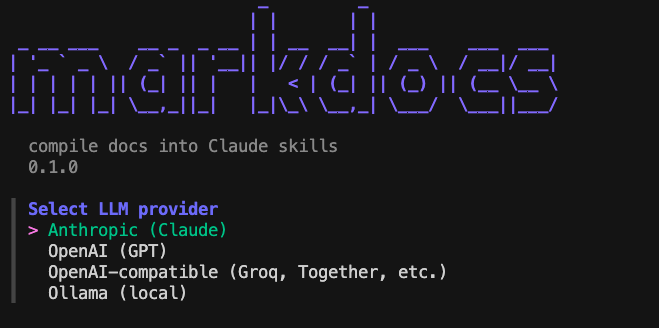




CLI to compile library documentation into Claude Code skill files
How It Works
markdocs add react does five things:
- Asks the configured LLM for official documentation URLs
- Lets you pick which URL(s) to scrape (interactive)
- Scrapes the page with a built-in Go scraper (no external APIs)
- Compiles the content into a structured skill file using the LLM
- Writes
.claude/skills/frontend/react.md— Claude Code picks it up next session
Installation
- Using
go:
go install github.com/Nithin-Valiyaveedu/markdocs@latest- Using
npm:
npm install -g @val-nithin/markdocs- Using
brew(Mac/Linux):
brew tap Nithin-Valiyaveedu/markdocs
brew install markdocs
Quick Start
# 1. Configure your LLM provider (runs once)
markdocs init

# 2. Add a skill for any library
markdocs add shadcn
markdocs add stripe
markdocs add drizzle-orm

# 3. Scan your project for missing skills
markdocs scan

# 4. Keep skills up to date
markdocs update --all
Commands
markdocs init
Interactively configure an LLM provider. Auto-detects from environment variables (ANTHROPIC_API_KEY, OPENAI_API_KEY) or a local Ollama instance.
Supported providers:
- Anthropic (Claude)
- OpenAI (GPT)
- OpenAI-compatible (Groq, Together AI, any custom endpoint via base URL)
- Ollama (local, auto-detected at
localhost:11434)
Config is saved to ~/.markdocs/config.json.
markdocs add <library>
Find, scrape, compile, and write a skill file for the given library.
markdocs add react
markdocs add shadcn
markdocs add stripe --no-interactive
Flags
| Flag | Description |
|---|---|
--no-interactive | Skip URL selection prompt, use first suggested URL |
The skill is written to .claude/skills/<category>/<library>.md in the current directory.
markdocs scan
Detect libraries in the current project that don’t have skill files yet. Reads package.json, go.mod, and requirements.txt.
markdocs scan
markdocs scan --add-all
Flags
| Flag | Description |
|---|---|
--add-all | Automatically add skills for all missing libraries |
markdocs list
Show all compiled skills for the current project.
markdocs list
markdocs list --stale
Flags
| Flag | Description |
|---|---|
--stale | Show only skills compiled more than 7 days ago |
markdocs update [skill]
Recompile skills whose source documentation has changed (detected via checksum comparison).
markdocs update react
markdocs update --all
Flags
| Flag | Description |
|---|---|
--all | Check and update all skills |
Skill File Format
Skills are plain Markdown with YAML frontmatter. All metadata is stored in the file itself — no database.
---
name: react
category: frontend
sources:
  - https://react.dev/learn
compiled: 2026-04-12T10:23:00Z
checksum: sha256:abc123def456
model: llama3.2
provider: ollama
project_framework: next.js
markdocs_version: 0.1.0
---

# react — markdocs skill

## What This Is
## Installation (project-specific)
## Key Concepts
## API / Usage Patterns
## Your Project Config (detected)
## Hidden Gotchas
## Common Errors
## Version Notes
Skills are auto-categorised into frontend, backend, testing, infra, database, payments, auth, or devtools.
Scraper
markdocs uses a built-in two-layer scraper — no external scraping APIs required:
- Layer 1 —
net/http+go-readability(works for most static doc sites) - Layer 2 —
go-rodheadless browser fallback (JS-rendered sites like Chakra UI, Radix)
Layer 2 requires Chrome or Chromium to be installed.
Use as a Claude Code Skill
npx skills add Nithin-Valiyaveedu/markdocsOr copy skills/markdocs/SKILL.md into your project’s .claude/skills/ directory.
License
MIT